iPad
$49once
Bought inside the app, through Apple.
- Apple Pencil or the keyboard
- Face ID, Touch ID or passcode
- Restores with your Apple ID
Try free on the App Store
iPadOS 18 or later
 A private diary for iPad and Mac
Built for people who care about privacy. Nothing to sign up for, and nothing shared.
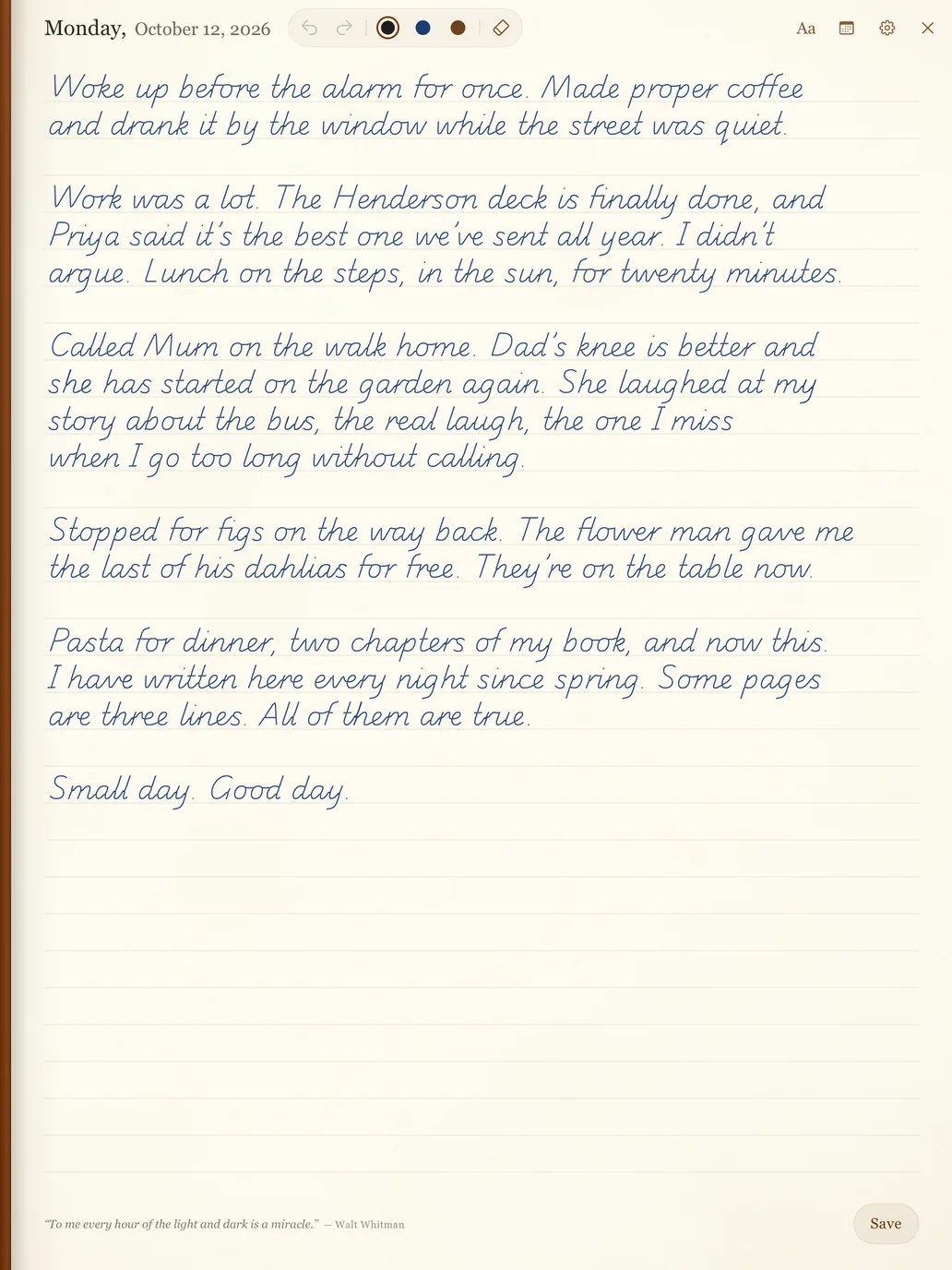
Monday,
October 12, 2026
My Diary
2026

The diary
Write by hand or type, find any word you’ve ever written, and look back on this day in the years before.
Real ink in black, blue or sepia on warm ruled paper, with a proper eraser and undo. Every page stays exactly as you wrote it.
Saturday, October 17
The same ruled page, with the keyboard. Pick a typeface and size, and switch between pen and keys any day.
Friday, October 16
Aa · GeorgiaHome late. The meeting ran long, but Priya’s idea is the right one and I said so. Made soup from whatever was left in the fridge, and it was better than it had any right to be.
Search every page, handwriting included. Your writing is read on the iPad itself, never uploaded.
Find
3 pages, newest first
Monday, 12 October 2026
walked home the long way, by the river. The trees are just starting to turn
Saturday, 26 September 2026
Ran by the river before work. My legs complained.
Thursday, 24 July 2025
Swam in the river at dusk with everyone. Cold, loud, perfect.
See what you wrote on this date a year ago, or five. Every day you wrote is marked.
October 2026
On this day
A year agoFirst morning in the new flat. Boxes everywhere…
2 years agoA handwritten page
Lock a finished page like ink that has dried. Ten seconds to change your mind, then it stays as written.
Sunday, October 12, 2025
LockedFirst morning in the new flat. Boxes everywhere, coffee made in a saucepan because the kettle is still packed somewhere. It already feels like mine.
Locked as written
Try it here
A page just like the app’s, right here. Nothing you write is sent anywhere; it stays in this browser.
1Write
With your finger, a mouse or Apple Pencil. Pick an ink, or tap Aa to type.
2Turn back
Swipe the page edge to look back at the last few days.
3Lock it
Ten seconds to change your mind, then it’s kept as written.
Today
write here…
Privacy
A diary is the most private thing you own. So Virtual Diary was built to know nothing about you, and to keep your pages only where you keep them.
Turn on the lock, and the diary opens with Face ID, Touch ID or your passcode. Hand someone your iPad and the cover stays shut.
My Diary
2026
A short list, and all of it yours.
Your iPad
Where you write.
Your iCloud
A private copy, in your Apple account.
Your Mac
The same diary, if you want it.
Our servers
We don’t run one that holds a diary. Nothing to breach, sell or read.
No account
Nothing to sign up for. We never ask your email.
No tracking
No analytics and no ads in the app. Ever.
Read on your iPad
Search reads your handwriting on the device itself.
Yours to take
Export every page, whenever you like.
App Store privacy label: Data Not CollectedSee the listing
Virtual Diary for Mac
Write tonight’s page by hand on the iPad, then add a line from your desk. It’s one diary on both, the same page down to the last word, kept in step by your own iCloud.
Later, at my desk: booked the train to see Mum and Dad.
Later, at my desk: booked the train to see Mum and Dad.
One diary, two desks
Write on either; the page is waiting on the other, carried by your own iCloud.
Your ink comes along
Pages written with Apple Pencil show on the Mac exactly as you drew them.
Touch ID on the cover
The diary opens with Touch ID or your Mac password, and for nobody else.
Everything else, too
On this day, search, export, and pages that seal when you’re done.
macOS 26 or later, Apple silicon or Intel · Notarized by Apple
Why I made it
It should open, give you today’s page, and keep what you wrote, privately and for good. In a world where everything wants to read your words, that has become a rare thing to ask for.
Dear reader,
I’ve kept a diary for more than three years now. Some nights it’s three lines; some nights I fill the page and wish there were another.
Somewhere along the way, every journaling app I tried started wanting something back: an account, a subscription, my photos and my location, and lately my words, so an AI could “reflect” on them. A diary is the one place I write what I wouldn’t say out loud. I don’t want it read, summarised or learned from. Not by a company, and not by a model.
So I made the diary I wanted to write in. No account, no servers of mine, no AI. Your pages stay on your iPad and Mac, and in your own iCloud, and nowhere else.
Tarak
Maker of Virtual Diary
Pricing
Your first page is free on both. After that, one payment per device: no subscription, and every update included.
iPad
$49once
Bought inside the app, through Apple.
iPadOS 18 or later
iPad + Mac
Save $29$69once
One diary, by hand and by keyboard.
Secure checkout by Dodo Payments
Mac
$49once
License key straight after checkout.
Over five years
A diary is for years.
Pay for it once.
A typical journaling subscription costs about $60 a year, every year you keep writing. Virtual Diary is one payment, with every update included.
| Year | Typical subscription | Virtual Diary |
|---|---|---|
| 1 | 60 | 49 |
| 2 | 120 | 49 |
| 3 | 180 | 49 |
| 4 | 240 | 49 |
| 5 | 300 | 49 |
Questions
What people ask before they write their first page. The rest are on the Support page, all 16 of them.
Still wondering?
Ask Tarak, who made it.
No support bots and no ticket queue. Every email reaches me, and I answer them myself.
support@virtualdiary.appNo. There are no AI prompts, summaries or chatbots, and nothing you write is sent anywhere to be analysed. Handwriting search is done by your iPad itself, on the device, so your pages never leave it for that.
No. There is no account and no server of ours; your pages live on your iPad or Mac, and the automatic copy goes to your own iCloud Drive, never to us. Turn on the lock and the diary opens only with Face ID, Touch ID or your passcode. We couldn’t read it if we tried.
Yes. $49 once, or $69 for iPad and Mac together, unlocks the whole diary for life, including future updates. There is no subscription, and there never will be.
Yes. Download Virtual Diary for iPad or Mac and write your first page free, with no account and no card. When you want to keep going, unlock it once: $49 for one device, or $69 for both. Pages you have written can always be read, even if you never buy.
No. You can type on any page with the on-screen keyboard or a keyboard case. Apple Pencil adds real ink in black, blue or sepia, an eraser, and the option to turn handwriting into text.
Yes. Virtual Diary for Mac is the same paper page, made for typing. Turn on iCloud on both and your pages stay in step through your own iCloud; ink from the iPad shows on the Mac exactly as you wrote it.
Your first page is free
Nothing to sign up for. Open it, write a few lines, and see how it feels. If it isn’t for you, you’ve lost nothing but a page.
Then $49 once, or $69 for iPad + Mac